Overview
If you own an Erogenous Tones Structure, you already know this pain. What should be a quick asset update turns into a maze of codecs, resolutions, colour tweaks, OBJ rules and ancient command-line utilities.
STK fixes that. Structure Toolkit is an all-in-one desktop utility built specifically for Structure users, with outputs automatically formatted to Structure specifications and ready for SD card deployment.
Core features
What's included
STK wraps the common Structure prep jobs into one interface, so you do not need to remember the correct codec flags, folder paths or conversion quirks every time you update your card.
Video Converter
Convert full video files into a single Structure-ready MOV clip. Use this if you want to handle your own editing first, then bring the finished file in.
- Converts video into Structure-ready MJPEG format
- Auto-handles format, framerate, resolution, and removes audio from source files
- Supports AVI, MP4, MOV, MKV
- PAL or NTSC / 640×480 or 320×240
- Single file or batch process entire folders
- Drag-and-drop file loading
Video Slicer
Same as the converter but automatically cuts the output into defined-length segments — ideal for long recordings or keeping clips within Structure's per-clip memory limits.
- Everything the Video Converter does, plus automatic segmentation
- Set your segment duration in seconds and the app handles the rest
- Single file or batch process entire folders
- Drag-and-drop file loading
Image Converter
Resize and convert images to Structure-ready PNGs at the correct resolution. Choose your fit mode and batch process an entire folder in one pass.
- Converts images to Structure-ready PNG
- Supports JPG, PNG, BMP, TIFF, GIF
- Auto-resizes and strips metadata to correct spec
- Crop, Stretch, or Letterbox fit modes
- Single file or batch process entire folders
- Drag-and-drop file loading
3D Object Converter
Convert 3D model files into fully Structure-compatible OBJ format using a bundled headless Blender pipeline. Handles UV unwrapping, triangulation, and export automatically.
- 3D model previews for OBJ, FBX, DAE, BLEND, LW and LWO files
- Conversion supports OBJ, FBX, DAE and LWO — more formats coming
- Adjustable scale factor
- Polygon simplification (None / Light / Medium / Heavy) to scale complex models down to conform to the Structure's hardware limits
- Full log output so you can see exactly what's happening
- Drag-and-drop file loading
Text Editor
Create and edit Structure scrolling text files directly in the app — no more navigating the SD card manually.
- Create and edit Structure text files in-app
- Save directly to SD card (root or per-performance folders)
Font Manager
Browse your local font library and copy fonts to the Structure with a live preview so you know exactly how they'll look.
- Browse fonts with a live preview window using the Structure's own test string
- Preview fonts already installed on the SD card
- Copy TTF files directly to the SD card font folder
Shader Editor & Live Preview
Browse, edit, and preview GLSL shaders in real time with full parameter control — all before copying to the card.
- Browse and edit GLSL shaders (same library as the ET website)
- Real-time fully scalable preview via OpenGL viewer
- Real-time control of F0, F1, F2 parameters — mapped directly to the Structure's physical knobs
- Randomise or reset shader parameters
- All changes reflected real time in the preview window
- Clear compile-error feedback
- Currently supports GEN and FX shaders, preloaded with all the Structure defaults
- FX shaders automatically load a test card texture for previewing effects against real source material
- Direct upload of modified shader files to the correct folder on the SD card
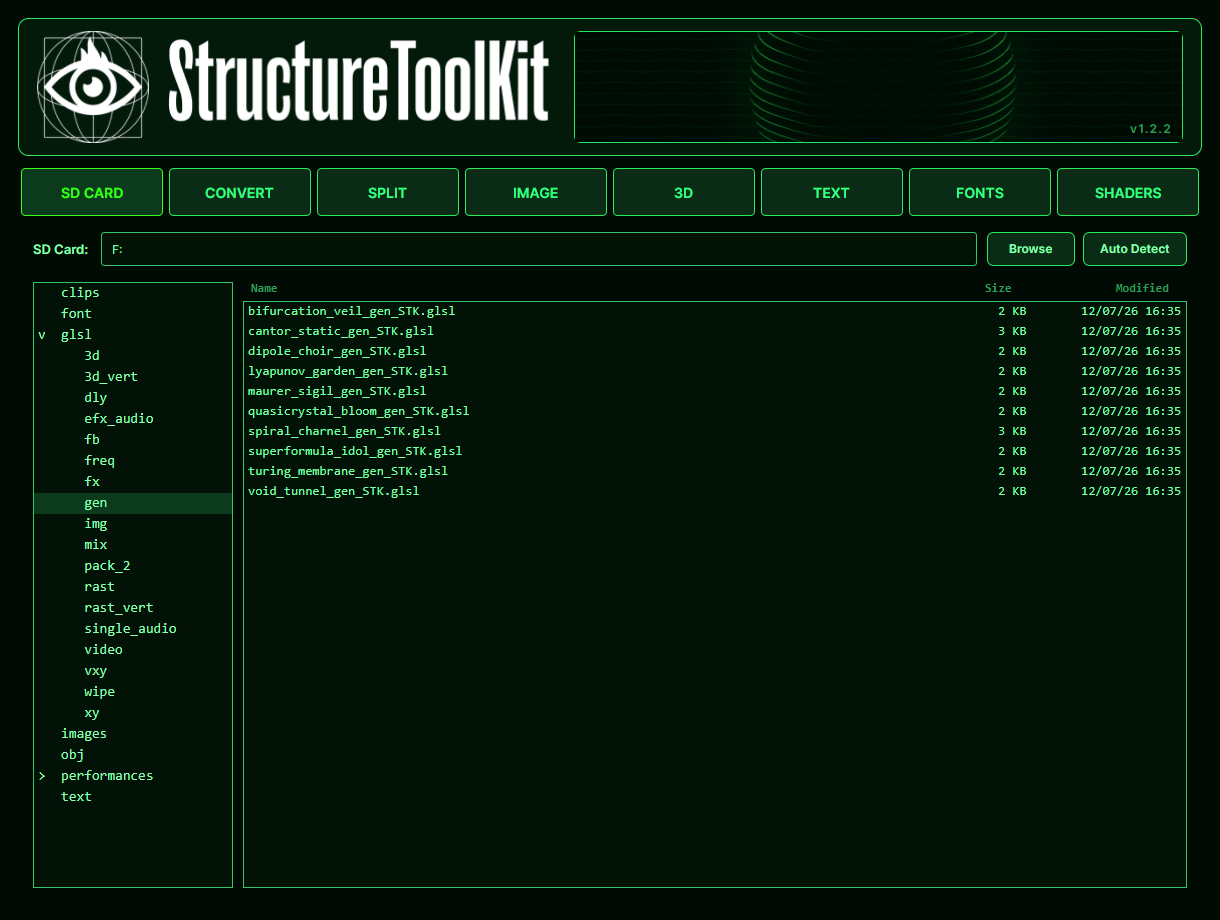
SD Card Manager
- DetectionAutomatic SD card detection at startup
- BrowserRename and delete files directly from the SD card browser
- ReadabilityLarger, easier-to-read SD browser text
- WorkflowCopy prepared files directly into the correct Structure directory layout
Interface & Workflow
- Updated interface with redesigned tabs, improved spacing and more consistent layouts
- Simpler input browsing with files and folders handled from one control
- Built-in manual access from the new header banner
- Updated packaging and versioning for cleaner, more reliable builds
Downloads
System Requirements
- Operating SystemSTK currently supports Windows, Apple Silicon and Intel Mac machines
- GPUOpenGL 3.3 support or better. Any GPU made after around 2012 should be suitable.
Current release v1.2
- PC patchVersion 1.2 Patch