Overview
SMPLVIEW is a free companion utility for exploring classic sampler CDs and disk images without having to fire up vintage hardware or commit to a full conversion.
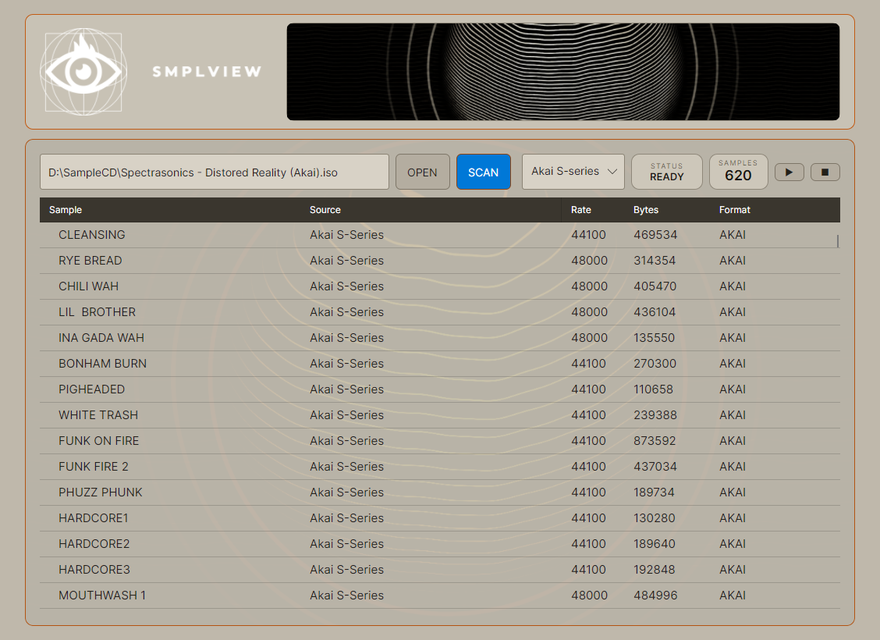
Built around the same sampler-format engine as SMPL2WAV, it lets you scan an image, inspect the samples inside and audition them before deciding what you actually want to extract.
Core features
Preview only
SMPLVIEW is intentionally focused on scanning and auditioning. WAV export is handled by SMPL2WAV.
Supported formats
SMPLVIEW is designed as the free inspection companion to SMPL2WAV and uses the same core sampler-format workflow.
Sampler formats
- E-mu / EOSE4B and EOS sample CD banks, plus E3S samples.
- Akai S-seriesS1000, S1100, S3000 and CD3000 images.
- Akai MPCMPC2000, MPC2000XL and MPC3000 disk images.
- Roland S-7xxS-750, S-760, S-770 and DJ-70 workflows.
- EnsoniqEPS, EPS16+ and ASR-10 images.
Preview workflow
- Source imagesScan sampler CD and disk-image sources supported by the SMPL2WAV engine.
- Sample browserView sample name, source, rate, byte size and format.
- Audio previewPlay and stop samples directly from the scan results.
- ExportPreview only — use SMPL2WAV when you are ready to convert to WAV.
Downloads
Windows
Windows installer for the current SMPLVIEW release.
Download Windows SetupmacOS
Apple Silicon and Intel Mac builds are in progress and will be added here once ready.
Need to extract the samples?
SMPLVIEW is the free preview tool. SMPL2WAV adds clean WAV export, batch conversion, slicing and export processing.
View SMPL2WAV